You type "The End" on your manuscript, picture birds circling in Cinderella fashion, and float around your kitchen fetching your favorite drink, humming and blissfully unaware of what is happening in the world. You've finished your book!
But "finished" means two different things. The first is that the story is done. The second is that a retailer will accept the files and a reader will get a book that looks like it was made on purpose.
So you're not finished; at least, not yet. But let's relish that moment a little bit longer...
The distance between them is shorter than it seems, and it is almost entirely a checklist. To help you on your path to publishing, here is the whole of it in seven steps, in the order that keeps you from redoing work.
1. Structural pass and a clean chapter structure
Do this before any sentence-level work, because a structural change throws away line edits.
Read the whole draft at once out loud, or as close to it as you can manage, taking notes rather than fixing anything. You are looking at shape: does the story start where the story starts, does each chapter move something, does the ending pay off what the opening set up.
Then fix it. Cut chapters that only exist to relay information, merge halves of scenes that are really one scene, and move any chapter that is in the wrong place.
When that settles, normalize the structure itself:
- One chapter per file or per document node, with scenes as children.
- Chapter numbering sequential, with no gaps left by a deletion.
- Scene breaks marked consistently, one convention throughout, usually a centered ornament or a blank line with a marker your formatter will recognize.
- Chapter titles either present on every chapter or absent from all of them.
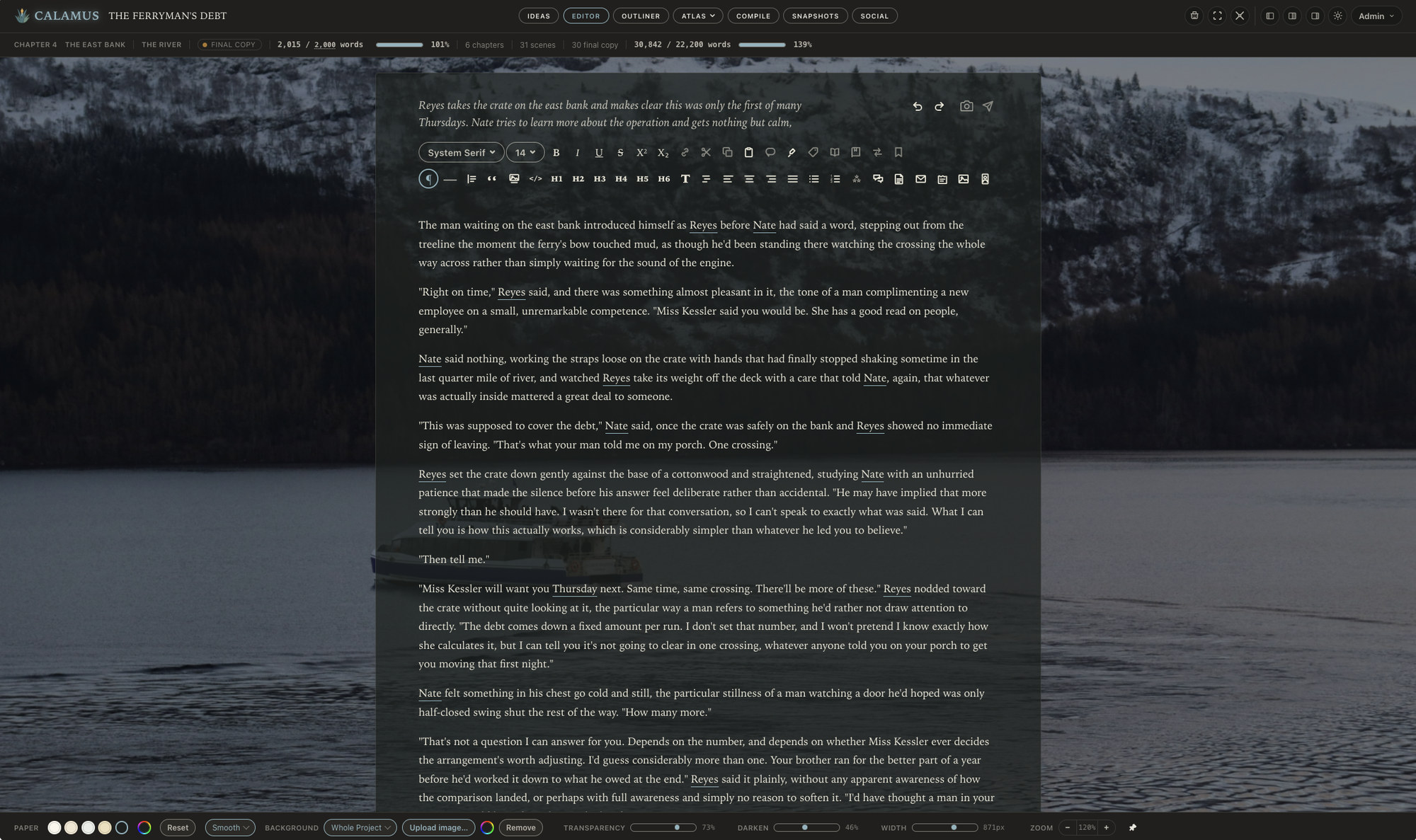
That last group matters more than it sounds. Formatting software builds the table of contents and the running heads from your structure, so a chapter that is really two chapters in one file will produce a wrong contents page in every format you export. Calamus picks up on your formatting within your Editor so it becomes easier to put your book together properly when you're ready.
2. Line edit and proofread
These are two passes, not one, and running them together means you will miss things in both.
The line edit is about how sentences work: rhythm, clarity, repeated constructions, dialogue that all sounds like the same person, filter words ("she saw that", "he felt"), and paragraphs that begin the same way five times in a row.
The proofread is about correctness: spelling, punctuation, continuity of names and details, consistent capitalization of invented terms, consistent treatment of numbers, dates and time.
Here are two mechanical helps. Read the proof pass in a different medium from the one you drafted in, on paper or on a phone, because a changed layout makes your eye stop skipping. And build a style sheet as you go: serial comma yes or no, how you spell the fictional city (use the World builder in Calamus to help you stay consistent), whether it is "all right" or "alright". You will need that list again for book two.
If you can afford a professional copyeditor for one pass, this is the one to buy.
3. Front and back matter
This is the part most first books under-build, and it costs nothing but a little bit of time to do properly.
Front matter, in the usual order:
- Half title, optional.
- Title page: title, subtitle, author name, and the imprint name if you have one.
- Copyright page: notice with year and name, "All rights reserved", the fiction disclaimer, edition number, ISBN for this format, and design credits.
- Dedication, if you have one, on its own page.
- Epigraph, if you have one, with permission if it is quoted from a work still in copyright.
- Table of contents. Include it in the ebook; in print it is conventional for nonfiction and optional for a novel.
Back matter earns its place commercially:
- Author's note or acknowledgments.
- About the author: two or three sentences and, if you like, a photograph.
- Also by this author, listed by series and in reading order.
- The next book, with a release date or a preorder link, and a sample chapter if you have one ready.
- Newsletter signup, with a clear statement of what a reader gets by joining.
- A short line asking for a review.
Set the ISBN correctly for each format. Print and ebook take separate numbers, and if you sell a wide EPUB and a retailer-specific one, those can differ too.
4. Choose a trim size and set your margins
Trim size is the finished page dimension. Pick it before you format anything, because every margin decision depends on it.
Common fiction trims, in inches:
- 5 x 8, standard for a mass-market-feeling paperback.
- 5.25 x 8, slightly roomier.
- 5.5 x 8.5, common for genre fiction and easy on page count.
- 6 x 9, the default for trade paperback and nonfiction.
Check that your chosen trim is offered by every retailer you plan to use before you commit.
Then margins. Outside, top and bottom margins are a design choice; 0.5 inch is a workable floor and 0.75 inch reads more comfortably. The gutter is the extra inner margin that compensates for the part of the page swallowed by the spine, and it scales with page count because a thicker book does not open as flat.
Typical minimums for book binding:
- Up to 150 pages: 0.375 inch gutter
- 151 to 300 pages: 0.5 inch
- 301 to 500 pages: 0.625 inch
- 501 to 700 pages: 0.75 inch
- Over 700 pages: 0.875 inch
Set mirrored margins so the gutter falls on the correct side of each page. Then set body type: 10.5 to 12 point for most serif faces, line spacing around 1.2 to 1.4 times the type size, and a first-line indent of roughly one em, with no indent on the first paragraph of a chapter or after a scene break.
5. Build the EPUB and validate it
Export the ebook and then check it, in that order, with two separate kinds of checking.
The machine check is EPUBCheck, the open source validator maintained under W3C. It reads the file against the EPUB specification and reports errors and warnings with line numbers. Retailers run their own checks on ingest, so anything it flags is worth fixing first. Errors are blocking; warnings are usually a minute of work and worth clearing anyway.
The human check is reading the entire ebook, which always amazes us because we find typos even at that moment of review! Open the EPUB on an actual e-reader and on a phone, and look at:
- The table of contents, every entry, in order, each one landing on the right chapter.
- The cover, present and correct.
- Chapter openings, consistent from first to last.
- Scene break markers, all present.
- Italics surviving the export.
- Any special characters: accented names, em dashes, ellipses, invented punctuation.
- Links in the back matter, all live.
Change the device font size to the largest setting and read one chapter that way. Anything laid out with hard spaces or manual line breaks will break there and nowhere else.
6. Build the print PDF with embedded fonts at the right trim
The print file is a different build with different requirements.
It has to be at the exact trim size, page for page, with the gutter applied. Every font has to be embedded in the file, because the printer does not have your fonts; check this in the PDF's document properties under Fonts, where each entry should say Embedded or Embedded Subset. Images need to be at print resolution, 300 dpi at their placed size, in grayscale if the interior is black and white.
Then read the PDF as a printed object:
- Chapters start on the correct side, conventionally a right-hand page.
- Running heads and folios are absent from chapter opening pages and from any full-page display.
- No widows or orphans, no single word alone on a line at the end of a paragraph.
- No blank page that was not put there deliberately.
- Page count is right for the gutter you set. If the count crossed a threshold in step 4, go back and change it.
Compile in Calamus produces the EPUB, the print PDF at real trim sizes, DOCX and Markdown from one manuscript, so a structural change in step 1 does not mean rebuilding a separate typesetting file from scratch.
7. Upload, check the previewer, order a proof
Upload both files and use the retailer's own previewer, which renders the file the way that retailer's pipeline does. Page through the whole book, not just the first chapter. This is where you catch a contents entry pointing at the wrong anchor, or a cover at the wrong aspect ratio.
Then order a physical proof. Nothing on a screen tells you the weight of the paper, how dark the ink sits, whether the gutter is generous enough to read without cracking the spine, or whether your body type is a size too small. Read the first chapter and the last, then flip through every page looking only at the shape of the page.
Approve after that, not before.
Working the list
None of these steps is difficult. The cost is in moving between tools, because a fix in step 1 sends you back through steps 5 and 6 in whatever app built the files. Our solution with Calamus is to keep everything you need to do with your book in one software application.
Keeping the manuscript, the structure, the world reference and the output in one writing suite means a late structural change costs a rebuild rather than a re-import. If you want to work through this list on a real book before deciding anything, the 14-day trial runs the whole app, with Compile locked and your files still downloading. Calamus is $189 once, with updates included, and the overview of what it does covers the arc from the first idea to a book on sale.
Chad & Melody
Co-founders of Calamus
The Calamus Team