Self-publishing a novel is a sequence of about a dozen decisions, most of which are reversible and a few of which are not. This post walks through the whole sequence in the order you will actually meet it, and says what each step is for, what it costs you in time or money, and what happens if you skip it.
The short version, for anyone who wants the map before the detail: finish and revise the manuscript, get outside editorial help at the level you need, commission a cover from a designer who works in your genre, decide about ISBNs, choose whether to publish exclusively on Amazon or go wide, produce an EPUB and a print interior PDF, write metadata that can be found, set a price, decide about a pre-order, and launch.
Finish the Draft, then Let it Sit
A first draft is not a book, and revising one you finished yesterday is difficult because you are still reading what you meant rather than what you wrote. Two to four weeks away from the manuscript is usually enough to get that distance back. Start something else in the gap.
When you come back, revise in passes rather than all at once. A structural pass first: does the story hold, is the middle doing work, does the ending land where the beginning promised. Then a scene-level pass. Then a line pass. Trying to fix a sagging act two and a clumsy sentence in the same read-through means doing both badly.
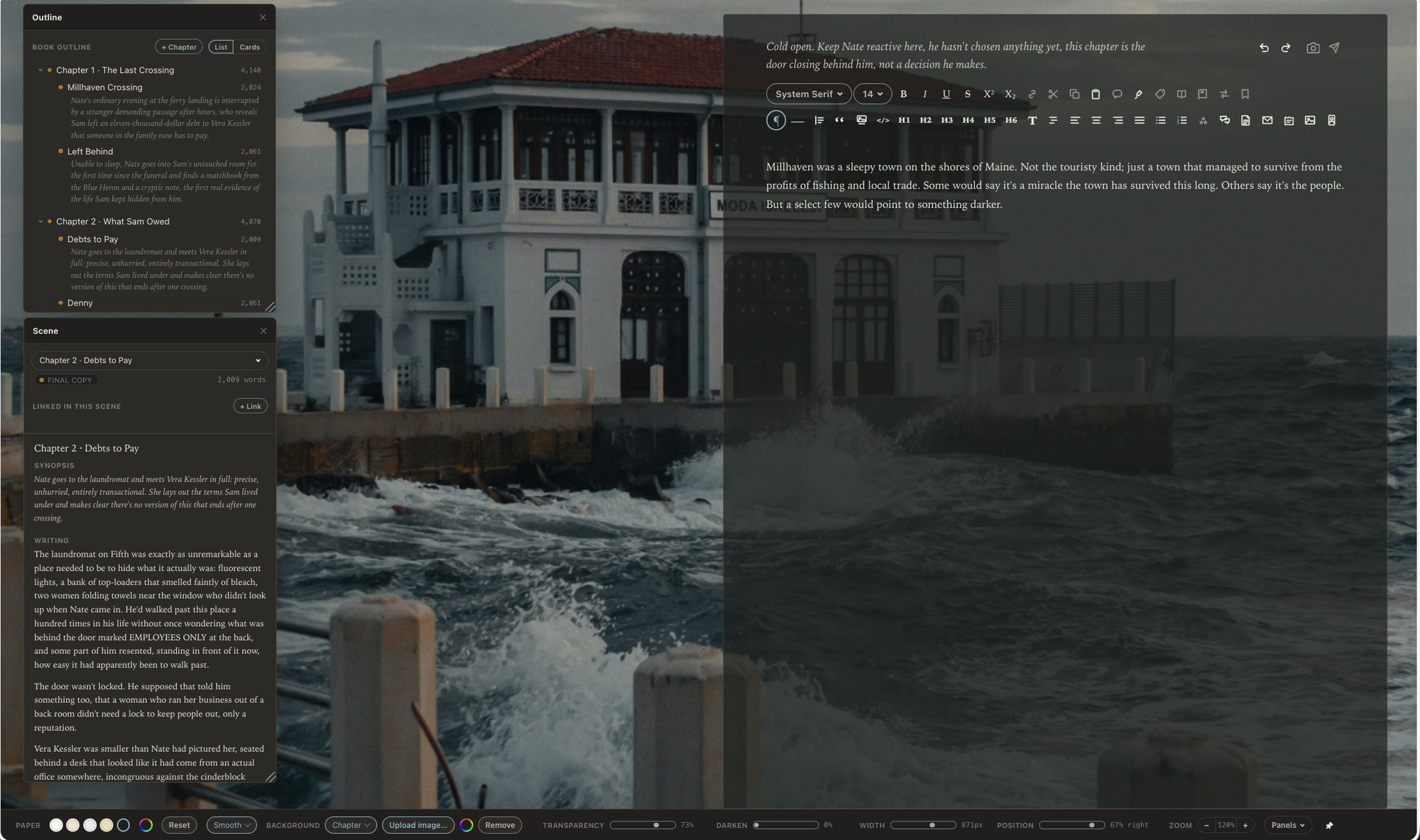
Keep your earlier versions. Whatever you write in (and hopefully you chose Calamus), some way of restoring a chapter to how it was before this morning is worth having, because revision involves cuts you will want to reconsider. Calamus keeps these as Snapshots, so an earlier state of any document can be brought back; a folder of dated copies works too, as long as you actually make them. The last 20 snapshots are saved for each document.
Editing: What each Kind of Editor Does
Outside editing is usually the largest line item in a self-published book's budget, and it helps to know what you are buying. There are four distinct jobs, often confused with each other.
Developmental editing works on the story: structure, pacing, character arcs, whether the plot's logic holds. A developmental editor may tell you the first four chapters are backstory and the book starts in chapter five. This is the most expensive kind of edit and the one that changes the most.
Line editing works on the prose paragraph by paragraph: rhythm, clarity, repetition, whether a scene's voice matches its content. It is not proofreading. A good line edit makes the writing sound more like itself.
Copyediting works on correctness and consistency: grammar, punctuation, tense, continuity of names and details, adherence to a style guide. This is where a copyeditor notices that a character's eyes changed color between chapters.
Proofreading is the last read, on the formatted file, catching typos, bad line breaks, wrong running heads and stray formatting.
You do not need all four on every book. A common arrangement is beta readers instead of a developmental edit, a copyedit from a professional, and a proofread on the final file. Rates vary enormously by editor, genre and word count, so get quotes from several and ask each for a paid sample edit on the same 1,000 words. The sample tells you more than the resume does.
The Cover
The cover is the single highest-leverage thing you control. Readers browsing a retailer see a thumbnail before they see a title, and the thumbnail's job is to say, within about a second, what genre this is and what kind of experience it promises. A cover that is beautiful but genre-illegible will cost you more sales than a plain cover that reads correctly.
Hire a designer who already works in your genre and can show you covers for books like yours. Before you brief them, go to the retailer, find the bestseller list for your subgenre, and look at what those covers have in common: color range, typeface style, how much of the frame the title takes, whether there are figures. Do not copy any of them. Learn the visual vocabulary your readers already use to sort books, and brief your designer in those terms.
Check the cover as a thumbnail, in grayscale, and on a phone screen. If the title is unreadable at 100 pixels wide, the cover is not finished. For print you also need a full wrap with spine and back cover, and the spine width depends on your final page count and paper stock, so the print cover comes after the interior is set.
ISBNs
An ISBN identifies a specific edition of a book in a specific format. The paperback, the hardcover and the ebook are three editions and need three numbers if you are using ISBNs at all.
You have three options. Retailers will give you a free ISBN, which is fine but records that retailer as the publisher of record and is usually not portable to other stores. Some countries issue ISBNs free to their residents through the national library, which is worth checking before you buy any. Or you buy your own, from Bowker in the United States or the equivalent agency elsewhere; single numbers are poor value and blocks bring the per-unit price down sharply.
Buy your own if you plan to publish more than one or two books, want the same edition available through multiple distributors, or care about being listed as the publisher. Ebooks sold on Amazon get an internal identifier and do not require an ISBN at all, so the decision mostly concerns print and wide distribution.
Choosing retailers
Two paths. Exclusive means your ebook is available only on Amazon, which enrolls it in Kindle Unlimited and pays you for pages read by subscribers. Terms run in 90-day periods. Wide means your ebook is on Amazon, Apple Books, Kobo, Barnes and Noble, Google Play and library systems, either uploaded directly to each store or distributed through an aggregator like Draft2Digital.
What exclusivity costs you is every other store, permanently, for the length of each term, plus the library market. What it buys you is subscriber page reads, which in some genres, particularly romance and other high-volume series categories, are a substantial share of income. What wide costs you is those page reads and a slower start, because discovery on the smaller stores builds over months rather than days. And that also means you can't list it on your own website for sale. What it buys you is a business that does not depend on one retailer's decisions.
A reasonable approach for a first novel is to try one term exclusive to see how Kindle Unlimited treats your genre, then go wide with book two and compare. Going direct to each store pays a little more than an aggregator; using an aggregator costs a small cut and saves considerable administration. Most authors start with an aggregator and go direct to the two or three stores that earn enough to justify it.
Formatting the Ebook and the Print Interior
These are two different files with two different sets of rules.
The ebook is an EPUB. It reflows, which means you do not control page breaks, line lengths or where a paragraph falls. What you do control is structure: a working table of contents, correctly marked chapter headings, sensible paragraph styles, embedded fonts if you use any, and a cover image. Keep it simple. Elaborate ebook formatting tends to break on someone's device.
The print interior is a PDF at a real trim size, with margins and a gutter sized for your page count, a mirrored layout for left and right pages, running heads, page numbers that start in the right place, and no widows or orphans you can avoid. Trim size is a genre convention as much as a technical choice; look at what books like yours use.
You can produce both from a dedicated formatting tool, or from a writing app that formats. Compile in Calamus exports EPUB, print PDF at real trim sizes, DOCX and Markdown from the same manuscript, with 1,900+ typefaces licensed for embedding in books you sell, which removes the export-and-reimport step between finishing and producing. If you are still choosing what to write in, the book writing software guide covers the options.
Whatever you use, proof the print file properly. Order a physical proof copy, read it on paper, and check the first and last page of every chapter.
Metadata that actually gets found
Metadata is how a reader who has never heard of you arrives at your book.
Title and subtitle. The title is yours. The subtitle is a search field with a genre signal in it, and on many books it does more work than anything else on the page. "A Cornish Coast Mystery" tells a browsing reader what they are looking at.
Categories. Retailers let you pick a limited number, and the limit has changed more than once, so check the current one rather than trusting a number you read somewhere. The useful categories are specific rather than broad. Being ranked in a narrow subcategory puts you on a list readers actually browse.
Keywords. Amazon gives you seven slots. Use phrases a reader would type, not single words, and not your own title or author name. Think in terms of tropes, settings, and reader-facing descriptions: "small town amateur sleuth", "enemies to lovers fantasy romance".
Series fields. If the book is part of a series, fill in the series name and number everywhere. Series metadata is what makes a retailer show book two to someone who just finished book one, and it is the most commonly neglected field on the page.
Description. Write it as back-cover copy, not a synopsis. Hook, situation, stakes, and stop. Do not give away the ending.
Pricing
Amazon pays 70% on ebooks priced between $2.99 and $9.99 and 35% outside that band, and other retailers have their own structures, so check current terms before you set anything. Most self-published novels land between $3.99 and $5.99, with series first books often lower to bring readers in.
Print pricing is arithmetic rather than strategy: the printer's per-copy cost depends on page count and whether the interior is color, and you set a retail price above it. Run the numbers before you finalize the trim size, because a larger trim with fewer pages can cost less to print.
Pre-orders and launch
A pre-order lets readers buy before publication day and gives you a live retailer page to send people to while you build interest. On Amazon the pre-order window runs up to 90 days and the deadline for uploading the final file is firm; missing it has consequences for your ability to use pre-orders again. Other retailers allow longer windows. Set the pre-order only when the manuscript is genuinely finished.
For launch itself, the useful work is mostly done beforehand: an email list you have been talking to, advance copies with early reviewers, the book listed everywhere you intend to sell it, and metadata in place. On the day, the things that matter are that every link works, the look-inside sample renders correctly, and the print and ebook editions are linked to each other on the retailer page.
Then start the next book. A backlist does more for a self-published novelist than any single launch, and the second book is the best marketing the first one will ever get.
Chad & Melody
Co-founders of Calamus
The Calamus Team