Security
Security
This page states the security measures implemented in Calamus: version history and the periods for which deleted work is recoverable, encryption in transit and at rest, two-factor authentication and where it is verified, device recognition and revocation, database-level access control, the notification given if an account is breached, and how to report a vulnerability.
Version history and recovery
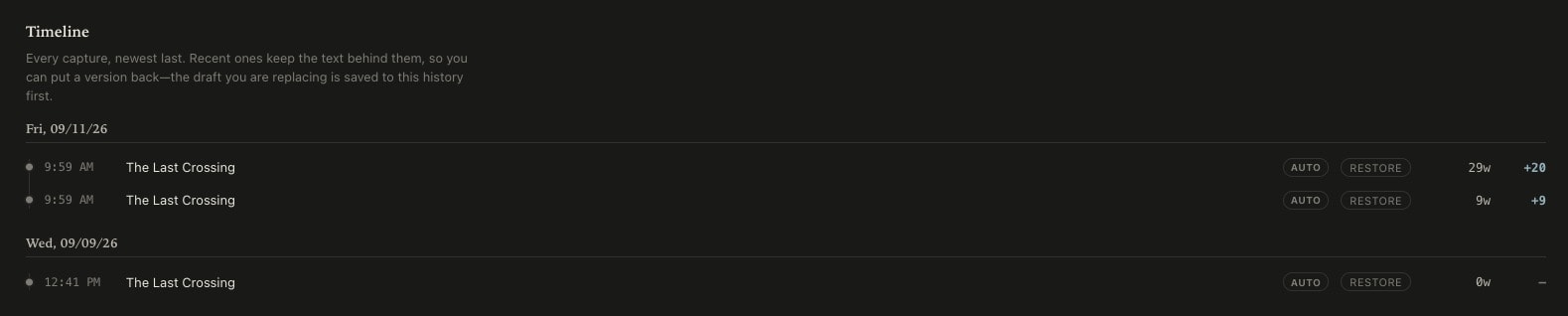
Every scene and chapter keeps a version history.
A capture is taken automatically as you write, and you can take one yourself at any point. Each capture stores the text as it stood at that moment, its word count, and the change from the capture before it. The 20 most recent captures of a scene or chapter remain restorable, together with the 50 most recent you took deliberately or that a restore created; older captures keep their timestamp and word count without the text.
- Captures are automatic; no action is required to create one
- Restoring one scene or chapter does not alter the rest of the manuscript
- A restore captures the text it replaces, so a restore can itself be undone
- Deleted items remain in Trash for 30 days, then in Archive for a further 30
- Export one book or the full catalog at any time in DOCX, RTF, Markdown or plain text
Offline operation
The Mac and iPad applications hold your work locally.
Both cache every read and queue every change while offline, then reconcile with the server when a connection returns, so a service interruption does not prevent you from writing. Files produced by Compile are written to your own disk and open without Calamus.
Encryption and access control
Encrypted in transit and at rest.
All traffic between your device and Calamus uses TLS. The database and the object storage holding manuscripts and uploaded images are encrypted at rest by Supabase, in a data center in Virginia. Access control is enforced by the database rather than by application code.
- TLS on every request, in the browser and in the native applications
- Database and object storage encrypted at rest
- Row-level security on every table, scoped to your own user, enforced by the database
- Stored social credentials carry a second layer of AES-256-GCM encryption, each with its own initialization vector and authentication tag
- The encryption key is held in a server environment variable, not in the database
Settings > Security
Two-factor authentication
A password alone does not grant access.
Enable it in Settings. Each sign-in then also requires a time-based code from an authenticator application, such as Google Authenticator, Authy or 1Password. The code is generated on your device and verified on ours; nothing is sent by email or SMS.
- An authenticator application, or a six-digit code sent by email where none is configured
- Verified on every request to your content, not only at sign-in
- Disabling it requires your password
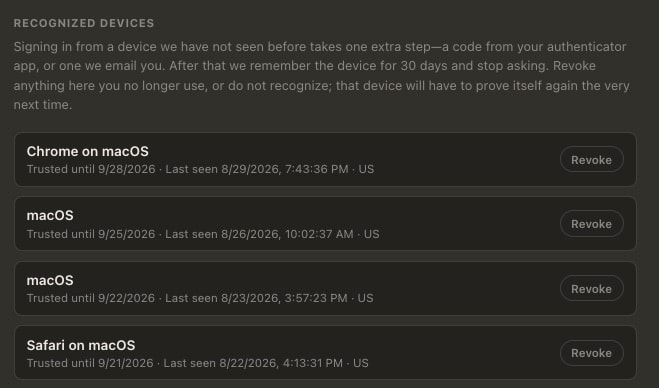
- A verified device is recognized for 30 days, after which it is verified again
- Any device can be revoked, and must verify again at its next request
Server-side enforcement
The second factor is verified on the server, on every request.
Verification runs on each request to your content rather than once at the sign-in form. A session that has not satisfied the second factor does not reach your manuscripts, so a session token taken from a signed-in browser is not sufficient on its own.
Password changes
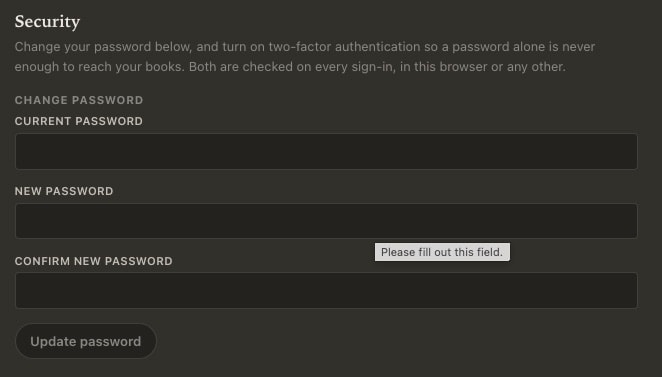
The current password is required before a new one is set.
Settings, under Security, requires your current password, the new password, and a confirmation of it. The current password is verified before the change is saved.
- Changed within the application; there is no separate portal
- Repeated failed attempts are throttled by IP address and by account
- Where two-factor authentication is enabled, disabling it also requires your password
Breach notification
You are notified by email if an account is accessed without authorization.
If we determine that an account or a manuscript has been accessed by someone not entitled to it, we notify every affected account holder by email at the address on the account. The notice states what is known, what is not yet established, and the steps to take. Arizona law allows 45 days for that notification and we do not intend to use the full period. For users in the United Kingdom and the European Economic Area, Articles 33 and 34 of the GDPR also apply.
Reporting a vulnerability
Report a vulnerability to security@calamusapp.com.
Include sufficient detail to reproduce the issue. We acknowledge receipt within three business days and state what we intend to do about it. We will not pursue action against anyone who reports in good faith, who stops at the point the issue is demonstrated, and who does not access, copy or modify another user's content in the course of demonstrating it. There is no bounty program.
Scope of this page
These are the measures implemented, not a guarantee of outcome.
No system is immune to compromise, and this page states what is in place rather than warranting a result. Your content is exportable at any time in formats that open without Calamus. The privacy policy sets out everything Calamus stores and the period for which each item is retained.
Ideas, Writing, Creative Vibing, Compiling, and Marketing: One Tool.
Calamus is in Beta testing; join the waitlist, learn about how Calamus will help you grow as a writer, and be the first to know when you can start writing and publishing with Calamus.