Every feature
What Calamus does across every module.
The Suite menu covers the modules and each has its own page. This is everything else: what the app does across every module, every book, and every device.
Make it yours
The writing surface is adjustable down to the individual panel, and Calamus remembers every choice you make, on every device you sign in to.
- Light and dark themes
- The whole app in either theme, switched whenever you like. Calamus remembers the choice per device, so the Mac can sit dark at night while the iPad stays light.
- Accent color
- Choose the color that runs through highlights, buttons and progress bars across the whole app. It is the one setting that changes how Calamus feels the moment you open it.
- A color per book
- Give each book its own accent color, so you know which world you are in the moment it opens. Useful when two projects share a Binder shape and you keep starting in the wrong one.
- Panel colors
- Color the Binder, the editor area, the Inspector and the split pane separately rather than as one theme. The panels you use most can carry the color, and the rest can recede.
- Paper and texture
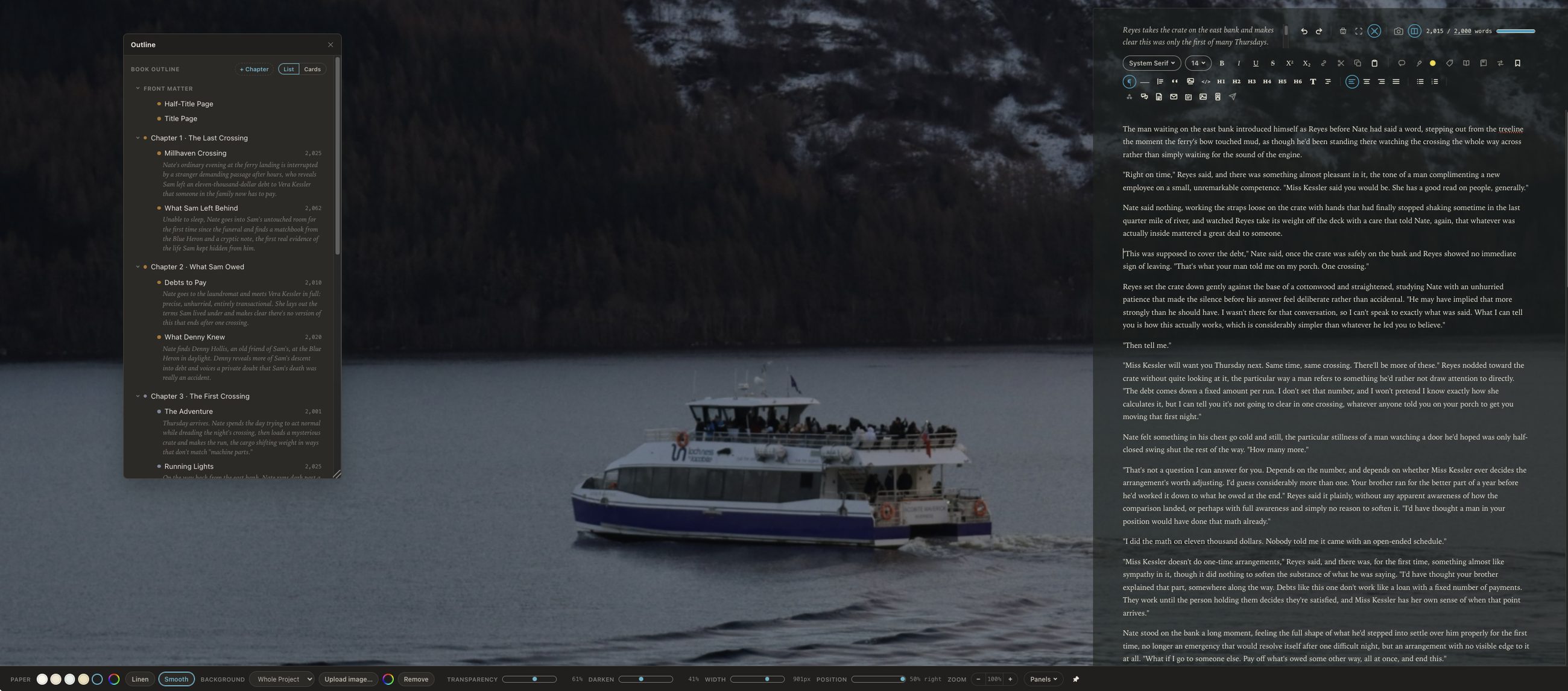
- Write on paper you choose, from clean white to warm cream, smooth or textured like linen. It changes nothing about the manuscript and a great deal about wanting to sit down to it.
- Your own background
- Put your own image behind the page, then dim, widen and position it until it sits right. A different background per book keeps each story in its own atmosphere.
- Footnote style
- Choose how footnotes present themselves while you draft, separately from how they will be typeset. What helps you write is not always what the finished page needs.
While you write
What runs underneath every writing session, whichever mode you are working in. None of it needs setting up and none of it interrupts you.
- Autosave
- Work is saved as you go, so there is no save button to forget and nothing lost to a closed lid. The manuscript on your screen is the manuscript on the server.
- Snapshots
- Version history that builds itself as you write. You can cut hard or rewrite an opening four ways knowing the recent versions are still there to return to.
- Writing statistics
- Words, characters, sentences, paragraphs and average lengths, counted per document and per book. Useful for spotting a chapter running twice the length of its neighbors.
- Writing history
- What you added and when, so a session's work is visible rather than remembered. It feeds the writing log and the Writing Record beside your Snapshots.
- Writing log
- Words added and words removed, measured per book, per day. A sitting you log yourself is carved out of the day rather than added to it.
- Writing streaks
- One running streak for the writer rather than one per pen name, because someone writing as three authors has one habit, not three. It counts the days you turned up.
- Word Bank
- Keep the words and phrases you want within reach in a list beside the page. For the term you keep reaching for and the one you keep overusing alike.
- Custom dictionary
- Teach the spellchecker the names your world uses, so your own invented words stop being underlined. The dictionary belongs to you and follows you between devices.
- Footnotes and annotations
- Footnotes go to the reader and annotations stay with you. Keeping them apart means a note to yourself can never be typeset into the finished book by accident.
- Focus timer
- Set a stretch of writing time and Calamus tells you when it is up. The session can go straight into your writing log, so a sitting you committed to is counted.
More than one book, more than one name
Built for a career of books and pen names rather than a single file. What you wrote three years ago under another name is still one click away.
- Multiple pen names
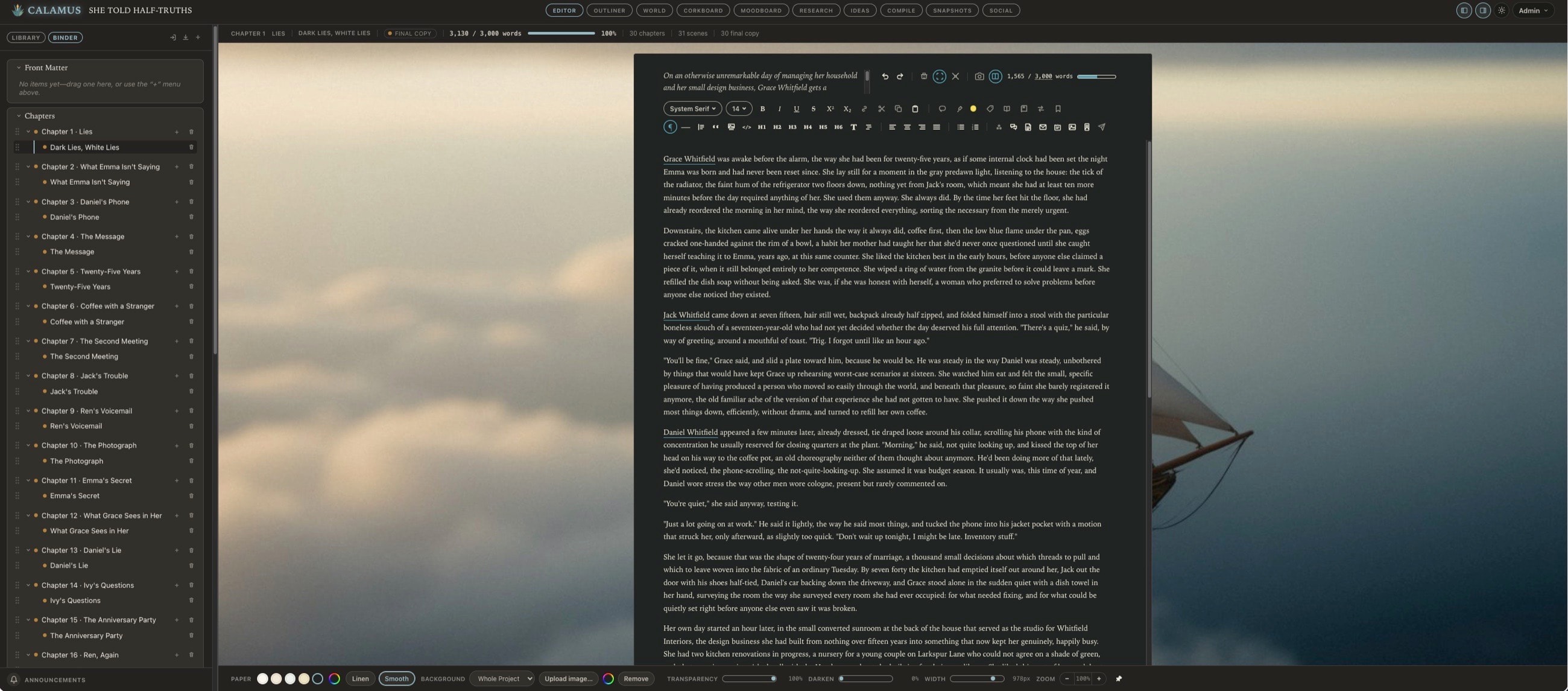
- Each pen name gets its own books, series and dashboard, so two careers never bleed into one another. Your streak and lifetime words stay with you across all of them.
- A Library
- Every book you have written, grouped by pen name, with what you last touched ready to reopen. Finished, in progress and archived all in one place.
- Series support
- Books in a series share one Codex, so book four agrees with book one without you checking. A character renamed in the Codex is renamed for the whole series.
- Fiction and nonfiction
- Fiction and nonfiction each get the structure they need rather than one shaped to fit the other. Scenes and beats for a novel, parts and sections for a nonfiction book.
- Archive
- Archiving a book takes it out of the Library and starts a 30-day countdown. Restore it from Archived Books before that runs out, or it is deleted for good; this is the last stop before permanent deletion rather than a shelf.
Wherever you are
The same account and the same manuscript on whichever device you have with you. Your settings, panels and colors travel with it, so nothing has to be set up twice.
- Mac, iPad, browser, and iPhone
- Draft in the browser or the native Mac and iPad apps, with one account and one book across them and no version that is the real one. The iPhone runs Calamus Ideas alongside.
- Offline on the native apps
- The Mac and iPad apps keep working with no connection at all, so a plane or a cabin is still a writing day. They catch up on their own when you are back online.
- Sync without thinking
- Close the Mac app mid-sentence and open the iPad. The manuscript, your panels and your place in it come with you, so moving rooms costs you nothing.
- Catch ideas on your phone
- Write an idea into Calamus Ideas for iPhone and it is on your desk by the time you sit down. File it under a category and assign it to a book, or leave both for later.
Nothing gets lost
A manuscript takes months to write. Everything here exists so that none of it can go missing.
- Two-factor authentication
- A rotating code from an authenticator app if you set one up, or a six-digit code emailed to you if you have not, checked on every request to your books rather than only at the login screen. It is the single most useful thing you can turn on.
- Trusted devices
- See every device signed in to your account and sign any of them out from wherever you are. A lost iPad stops being a problem in about ten seconds.
- Export your work
- Download one project or your entire catalog at any time, in formats you can open without Calamus. Your writing is yours and leaving is never held up by us.
- Full backup on request
- Ask for a complete export of everything you have written and we build it, then email you a link that lasts 24 hours. Downloading needs your own signed-in session on a device the account knows, so the link alone is no use to anyone else. Worth doing once a quarter whatever software you use.
- Restore from backup
- Restore from a backup you took, rather than only being able to make one. A backup you cannot put back is a file, not a safety net.
- Trash with a delay
- Deleted chapters and books sit in the trash before they go for good. A wrong click at midnight is still recoverable in the morning.
Looking for a particular module? The Full Suite has a page for each one.
Ideas, Writing, Creative Vibing, Compiling, and Marketing: One Tool.
Calamus is in Beta testing; join the waitlist, learn about how Calamus will help you grow as a writer, and be the first to know when you can start writing and publishing with Calamus.