Social
Share the book you wrote, from the app you wrote it in.
Marketing a book usually means going back through it for something worth quoting. Calamus lets you mark those lines while you are writing them, keeps them per pen name, and gives you a queue to post them from. We make marketing your book easier by sharing quotes along with images and book buy links directly from the app.
While you are writing
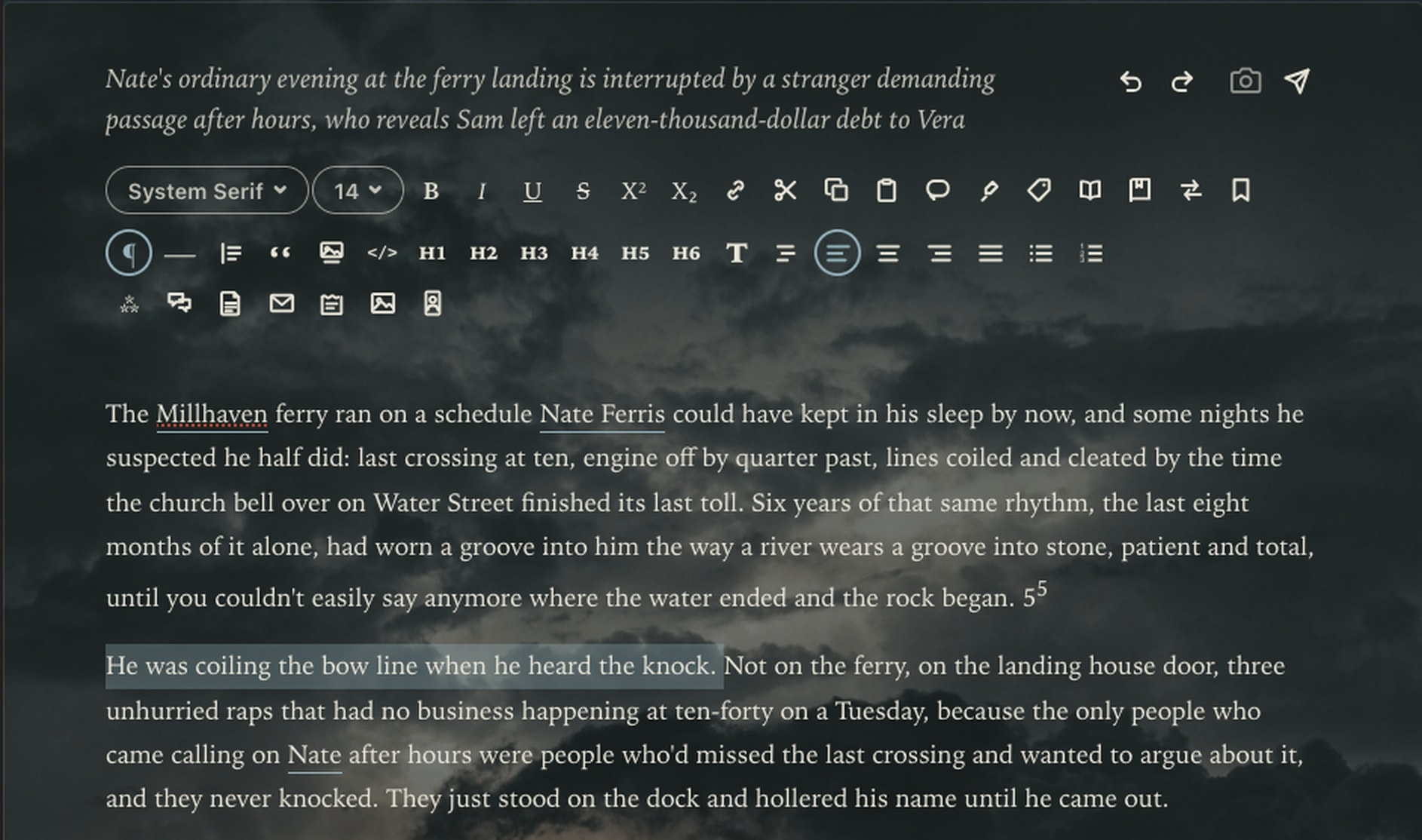
Highlight and queue a quote directly from your book to share.
We know that finding quotes and marketing content to share after you’ve written a full book takes time. So we made it easy: highlight and tag them as you write, directly in the Editor, so you’ll be ready for your marketing journey. Use it for pre-marketing your work-in-progress as well.
- Capture a quote straight from the editor as you draft
- Every pulled quote is queued to the Social module and is available on Calamus Ideas for social sharing to any account or platform you have
- Attach your book title, book buy link, or book marketing image to go along with your book's quote
Posting
Direct to Bluesky, on a schedule you set.
Connect your Bluesky account and post straight from Calamus, either now or queued. Set a cadence and the queue goes out on its own, so the marketing keeps happening on the days you would rather be writing.
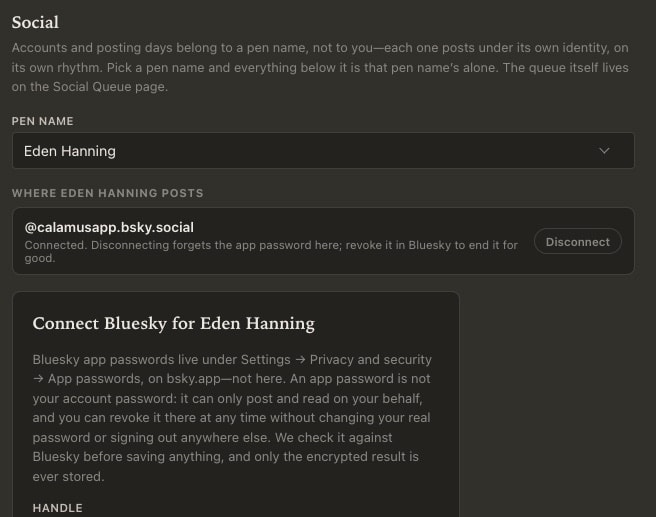
Connecting an account
An app password, not your real one.
Bluesky lets you mint a password that can only post and read on your behalf, and that you can revoke there at any time without changing your real password or signing out anywhere else. That is what Calamus asks for. We check it against Bluesky before saving anything, and only the encrypted result is ever stored.
- Accounts belong to a pen name, so each one posts under its own identity
- Disconnecting forgets the app password here; revoking it in Bluesky ends it for good
- Your real Bluesky password is never asked for and never seen
The cadence
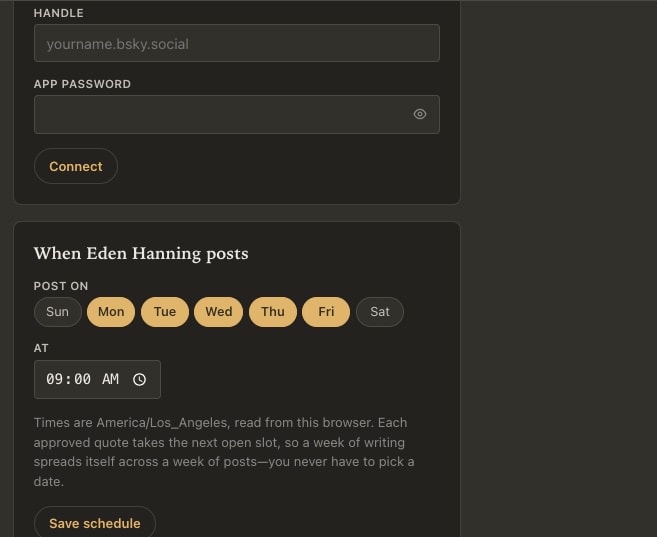
Pick the days and the hour once.
Choose which days that pen name posts and what time of day, and every approved quote takes the next open slot. A week of writing spreads itself across a week of posts, so you never have to sit down to pick a date for anything, unless you want to schedule a specific post for a date and time.
- Any combination of days, at an hour you choose
- Times follow the timezone of the browser you set them in
- Each approved quote takes the next open slot automatically
- Set per pen name, so your pen names can maintain separate posting schedules
From your pocket
Share a quote, a book link, or a buy link, from anywhere.
Quotes, on your phone
Every line you marked while drafting is on your phone, grouped by book, with copy and share on each one.
Book links and buy links
Store the buy link once against the book, and every quote from it can carry that link when you share it.
Copy and go
Copy the text, pick whichever app you want to post it to, and send it. Nothing has to run through us.
A queue you fill when you feel like it
Add quotes whenever one occurs to you, set how often the queue should post, and it goes out on its own. The work of promoting the book gets done on the days you were writing anyway.

The queue holds a quote until you approve it. Nothing posts on its own: a draft waits for you to pick the accounts it goes to, and a slot comes from your posting days unless you set a date and time on the row yourself.
In the works
Threads, Instagram, and Facebook are coming.
Direct posting to Bluesky ships today, with scheduling. Threads, Instagram, and Facebook are being built now. Until those additional platforms are fully tested and approved via Meta, you can copy any quote or link from the phone app and send it to whichever app you like, which works everywhere already.
Ideas, Writing, Creative Vibing, Compiling, and Marketing: One Tool.
Calamus is in Beta testing; join the waitlist, learn about how Calamus will help you grow as a writer, and be the first to know when you can start writing and publishing with Calamus.