Have you been curious about typesetting while formatting your print and epub books?
The typeface you choose in your writing app is not necessarily the font your reader sees. What happens in between depends on which file you are producing and on the license attached to the typeface.
A print PDF must contain a copy of every font it uses, because the machines that turn that PDF into a physical book do not have your font library installed. An EPUB may contain its fonts, but the reading device is allowed to ignore them, and readers frequently tell it to.
The licensing part is the piece most authors have never really had reason to look at. Putting a font inside a file you sell is redistribution of that font, and not every typeface you can download for free permits it.
What Embedding Means
Embedding means a copy of the font program is written into the output file. Not a reference to a name, not an instruction to go and find something similar, but the glyph outlines and the metrics, packaged inside the document.
Most exports embed a subset rather than a whole family: only the characters the book actually uses, which keeps the file small. That still counts as embedded.
Why a Print PDF has to Embed its Fonts
A print PDF is not going to a person. It goes to a retailer's print partner, through a prepress check, and onto a press or a digital printing machine. Nothing along that path has your fonts.
When a PDF names a font it does not contain (failure to embed), the software downstream substitutes something else. Substitution produces a specific and recognizable set of problems:
- The substitute has different character widths, so line breaks move.
- Moved line breaks push text onto new pages, so a chapter that ended on a right-hand page now ends on a left-hand one.
- Widows and orphans reappear in places you had already cleaned up.
- Small caps, old-style figures and ligatures fall back to plain defaults.
- Unusual characters, an accented name or a dagger, can drop out or render as a box.
Print services generally require embedded fonts and will reject a file at preflight if they are missing, which is the better outcome. The worse one is a file that passes, prints, and arrives as a proof copy with the typography quietly rearranged.
You can check this yourself in about 15 seconds. Open the PDF in any full-featured reader, open the document properties, and look at the Fonts tab. Every entry should read "Embedded" or "Embedded Subset". An entry with neither is the one that will cause trouble.
Why EPUB Embedding is Optional, and Often Overridden
EPUB is a reflowable format. There are no fixed pages; the reading system lays the text out to fit whatever screen it is on, at whatever size the reader has chosen.
That gives the reader control on purpose. Reading apps let people set the typeface, size, line spacing, margins and background color, and a great many readers use those settings. Some reading systems honor an embedded font by default, some treat it as an option the reader turns on, and some ignore publisher fonts entirely.
So embedding a font in an EPUB is a preference you express rather than an outcome you control. Two consequences follow.
First, design the ebook so it reads well in a plain device default. If your chapter openings only work in one specific display face, they will look wrong for a large share of your readers.
Second, reserve embedded fonts for places where the typeface carries meaning rather than decoration: a display face for chapter numbers, a monospace for a transcript, a script for a diary entry. Write a fallback into the CSS each time.
font-family: "EB Garamond", Georgia, serif;
Embedded fonts also add weight to the file, which matters where a retailer charges a delivery fee by file size. A subset of one display face is negligible; four full families at every weight is not.
The Licensing Question
A font is software. When you download or buy one you receive a license to use it in stated ways, and those ways vary a great deal between one typeface and the next.
The categories you will meet: a desktop license covers installing the font and making documents, and may or may not permit embedding. A webfont license covers serving the font from a website and usually says nothing about books. An ebook or publication license explicitly permits embedding in a distributed document, sometimes per title. Open source font licenses permit embedding broadly, including commercially, subject to conditions that are easy to meet.
Three open licenses cover the great majority of free fonts a novelist is likely to reach for.
The SIL Open Font License
The OFL is the license behind most of Google Fonts and a large share of independently released free type. It permits use, study, modification and redistribution, for commercial work as well as personal work.
It also addresses embedding directly. A font under the OFL may be embedded in a document, and doing so places no condition on the document itself. Your novel does not become open source because the body text is set in an OFL face.
The conditions that matter to an author:
- The font, on its own or modified, cannot be sold by itself. Selling a book that contains the font is fine; selling the font is not.
- If you modify the font and redistribute the modified font, it stays under the OFL, and the copyright and license notice travel with it.
- Some OFL fonts declare a Reserved Font Name, and a modified version cannot keep that name.
For ordinary use, embedding an unmodified OFL font in an EPUB and a print PDF for a book you sell, none of those conditions asks anything of you.
Apache License 2.0
Several fonts, including a number of early Google Fonts releases, carry the Apache License 2.0. It is a general-purpose software license rather than a font-specific one, but the grant is broad: a perpetual, worldwide, royalty-free right to reproduce and distribute the work and derivative works, in source or object form.
A font file inside an EPUB or a PDF is a distribution of the work, and Apache 2.0 permits it. The license asks that notices be preserved and that recipients receive a copy of the license. Common practice in publishing is a short acknowledgment in the back matter naming the typeface, its designer and its license. That takes three lines and settles the question in a way anyone can verify.
The Ubuntu Font Licence
The Ubuntu font family uses its own license, formally titled the Ubuntu Font Licence. It keeps the British spelling because that is its proper name.
It permits redistribution, including embedding in documents, and including commercially. Its distinctive clause concerns modification: a modified version must be renamed before it is distributed. Embedding an unmodified copy in a document is explicitly allowed and does not make the document a derivative work.
Free to Download is Not the Same as Free to Embed
Price and permission are separate questions, and a font aggregator site will often tell you the first while staying vague about the second.
"Free for personal use" is common on those sites, and a novel you sell is commercial use. Some foundries release a family free for desktop work and charge separately for the embedding right. Aggregators also re-host fonts with the license file stripped out, so the copy you downloaded may say nothing at all.
A short routine that answers it:
- Find the license file that shipped with the font, usually named OFL.txt, LICENSE.txt or UFL.txt.
- Read the section on distribution and embedding. Open licenses state it plainly, in a few paragraphs.
- If there is no license file, go back to the designer's or foundry's own page and get it from the source.
- Keep a folder alongside the book with each font file and its license text, so the answer is still there in three years.
None of this is legal advice. A question about one specific font should be settled against that font's own license file, and if the answer carries real money, with a lawyer who reads it with you.
Where this Fits in Producing the Book
Typeface choice is one of the last decisions before a book ships, and it arrives at the point where you are least inclined to go and research licensing terms.
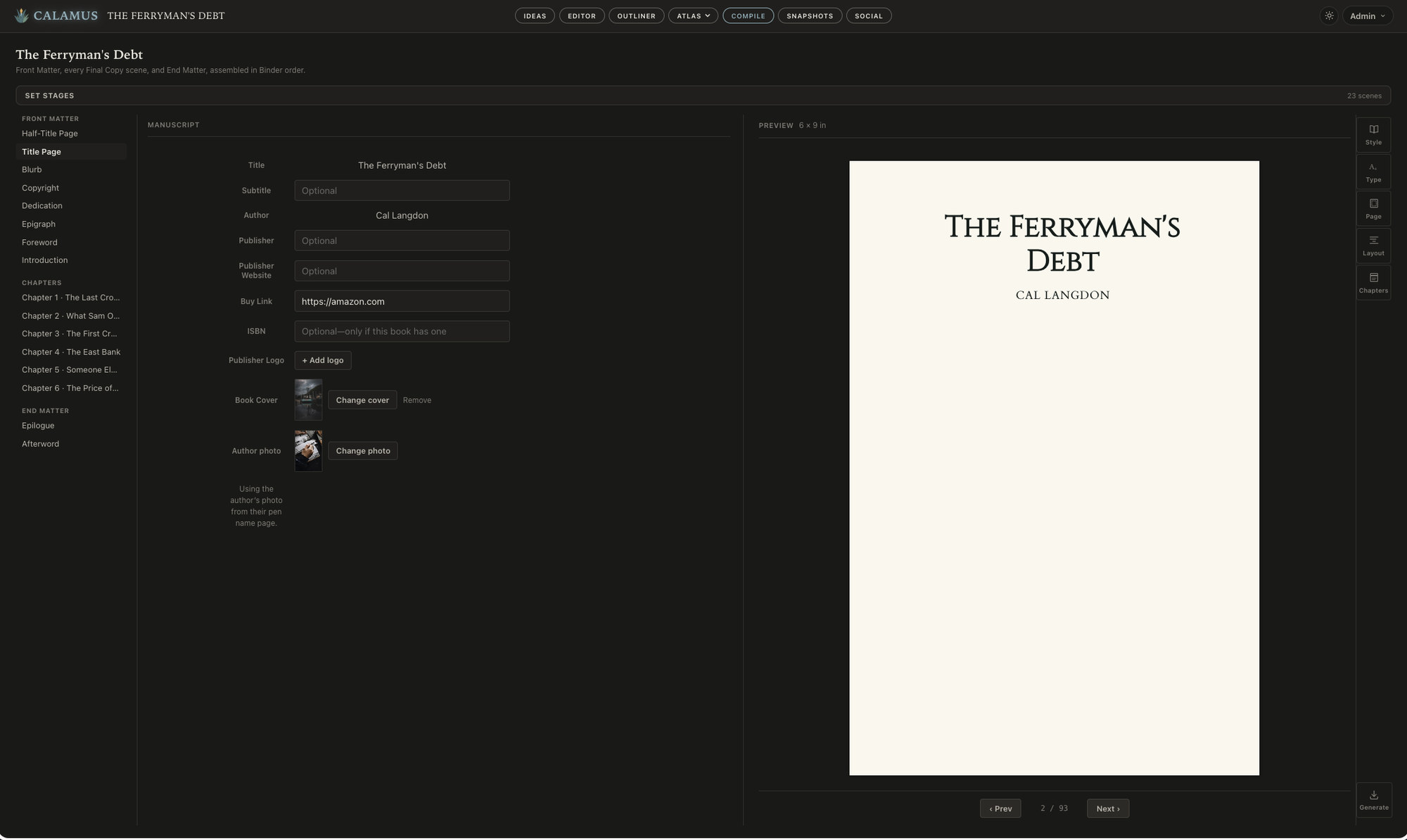
Calamus draws on a catalog of more than 1,900 open-licensed typefaces at Compile, so the permission question is settled before you open the list. Most of them are SIL OFL, which asks nothing of a book set in them; the forty families under Apache 2.0 and the Ubuntu Font Licence do require their license text to travel with the file, and Compile writes that into the package for you rather than leaving it as something to remember. 29 of those font families ship inside the desktop app itself, so a print PDF built on a Mac with no connection is identical to one built in the browser. Compile writes the faces into the print PDF at your chosen trim size and into the EPUB with declared fallbacks, from the same manuscript, with no export-and-reimport step in between. The full set of modules covers the arc from the first note through drafting, world building and formatting.
Vellum, worth saying, produces genuinely beautiful print interiors with very few decisions to make, and offers 26 curated typefaces on the theory that a short list serves most books better than a long one. If you write on a Mac and like the look, it is a good tool; the comparison of the two approaches covers where each one lands.
Whichever you use, check the Fonts tab on the print PDF before you upload. It takes seconds, and it catches the one problem a proof copy would otherwise catch for you three weeks later.
Font handling is one row in a longer decision. The guide to book writing software puts it beside the other things worth checking before you commit a manuscript to a program.
Chad & Melody
Co-founders of Calamus
The Calamus Team