There is no single best writing app for novelists (except for maybe Calamus—but we're biased and proud of that!), because novelists are doing at least three different jobs and most tools are built for one or two of them. Some apps organize a long manuscript. Some produce a finished book file. A few do both. Which one is right for you depends on which of those jobs you need done, and on some practical constraints that are easier to answer than they look.
How to Choose, in Four Questions
Do you need drafting, formatting, or both? Drafting tools give you a Binder or equivalent, somewhere to put your notes, a way to rearrange scenes, and version history. Formatting tools take a finished manuscript and produce an EPUB and a print interior PDF at real trim sizes. Vellum only formats. Dabble, Scrivener, EmberWrite and Codex Heim are mostly or entirely drafting. Atticus and Calamus do both (but Calamus is more customizable.)
Do you need it on a tablet or a phone? This eliminates more options than any other question. Vellum, EmberWrite and Codex Heim have no tablet app at all. Atticus and Dabble work on an iPad only through a browser. Scrivener has a real iOS app for an extra $23.99 and it hasn't had any real interface improvements and still requires 3rd party apps to sync. Calamus includes a native iPad app in the price, with Calamus Ideas on the iPhone for capturing notes rather than drafting.
Do you want to own it or rent it? One-time purchases here run from $65 to $249. Subscriptions run $15 to $19 a month, which over five years is $900 to $1,140, though Dabble also sells a $699 lifetime plan that caps it. Neither model is wrong, but a subscription writing app is a recurring cost against a manuscript that may take two years to earn anything, and when you stop paying you stop having access. Subscriptions are costly and if you're like us, we've ended almost all of our subscriptions. We just don't like the subscription model at all.
Does it have to work with no connection? Browser-only tools are the weakest here. Native apps keep the text on the machine. If you write on trains, in hotels with questionable WiFi, in libraries with poor WiFi, or anywhere you cannot rely on a signal, this matters more than any feature list.
Answer those four and usually two candidates remain. Here is what each of the seven is, honestly.
Scrivener
$59.99 per platform. Mac, Windows, iOS. Native. 30-day trial.
Scrivener has been the serious novelist's manuscript organizer for close to 20 years, and the Binder model at its center has not aged: a nested outline of folders and documents that is also the manuscript, so restructuring the book means dragging things in a sidebar. Corkboard, Outliner, Snapshots, Composition mode and Typewriter Mode are all there, along with broad import from DOCX and RTF and export to EPUB, PDF, DOCX and Markdown. It handles very long, very complicated projects without complaint, and there are writers who have run a dozen books through it.
Where it stops: sync requires Dropbox or iCloud that you set up and maintain, the iOS app is a separate $23.99 purchase, print PDF output is limited compared with a dedicated formatting tool, it uses system typefaces, and updates are only partly free, with point releases included and major versions paid. Over five years, buying it on all platforms comes to roughly $122, which is still one of the better values in the category.
Best for: writers with long, structurally complex books who want the deepest organizing tools available and do not mind assembling their own sync. If you like the Binder but want more from the rest, the Scrivener alternative comparison sets out what changes.
Worst for: people who don't like to have to read entire manuals in order to understand its features and how it works. It's a harder-to-understand program right out of the gate, and can be intimidating.
Atticus
$147 one time. Windows, Mac, Linux, Chromebook. Web app. No trial, 30-day money-back.
Atticus is the most platform-agnostic tool here, because it is built as a progressive web app and therefore runs anywhere with a browser, including a Chromebook. It syncs, it imports DOCX, and its formatting side is strong: 1,500+ typefaces, print PDF at real trim sizes, EPUB and DOCX out.
Where it stops: the drafting side is lighter than its price suggests. There is a chapter list rather than a full Binder, no Corkboard, and Snapshots are listed as coming soon. On an iPad you are in a browser tab, not an app. And there is no free trial, only a money-back window, so evaluating it means buying it first.
Best for: self-publishing authors who want writing and formatting in one purchase, especially on Windows, Linux or a Chromebook where the alternatives thin out fast. The Atticus alternative comparison covers the differences in detail.
We've heard on social media that some writers have found the formatting to be a bit troublesome, but that's just what we've read and heard. Many have had to go back to Vellum.
Calamus
$189 one time. Mac, iPad, Calamus Ideas on iPhone, browser. Native and browser. 14-day trial.
Calamus covers the whole arc from first idea to finished book in one app: capture a note on your phone, draft it, build the world around it, format the book, share it. The drafting side has a Binder, Corkboard, Outliner, Focus and Typewriter modes, Research, Moodboard, and Snapshots that keep earlier drafts you can restore. World-building is a structured Codex with 14 typed categories, each with its own fields: Characters, Locations, Factions, Magic Systems, Lore, Cultures, Languages, Timeline, Glossary, Lineages, Regions, Maps, Storylines and Items. Compile exports EPUB, print PDF at real trim sizes, DOCX and Markdown, with 1,900+ typefaces licensed for embedding in books you sell. Sync is built in rather than routed through a third-party service, and the iPad app is included rather than sold separately, with Calamus Ideas on the phone for capture.
Where it stops: the native apps are Apple-only today, so a PC as your main machine means working in the browser until the Windows build arrives, which is planned for 2027 along with Android. Compile is locked during the trial, though your files still download. Formatting and compiling requires payment before you can make money from your finished book.
Where to ask questions: the r/CalamusWritingApp subreddit and the YouTube channel, both linked from the site footer, plus written tutorials in the support section.
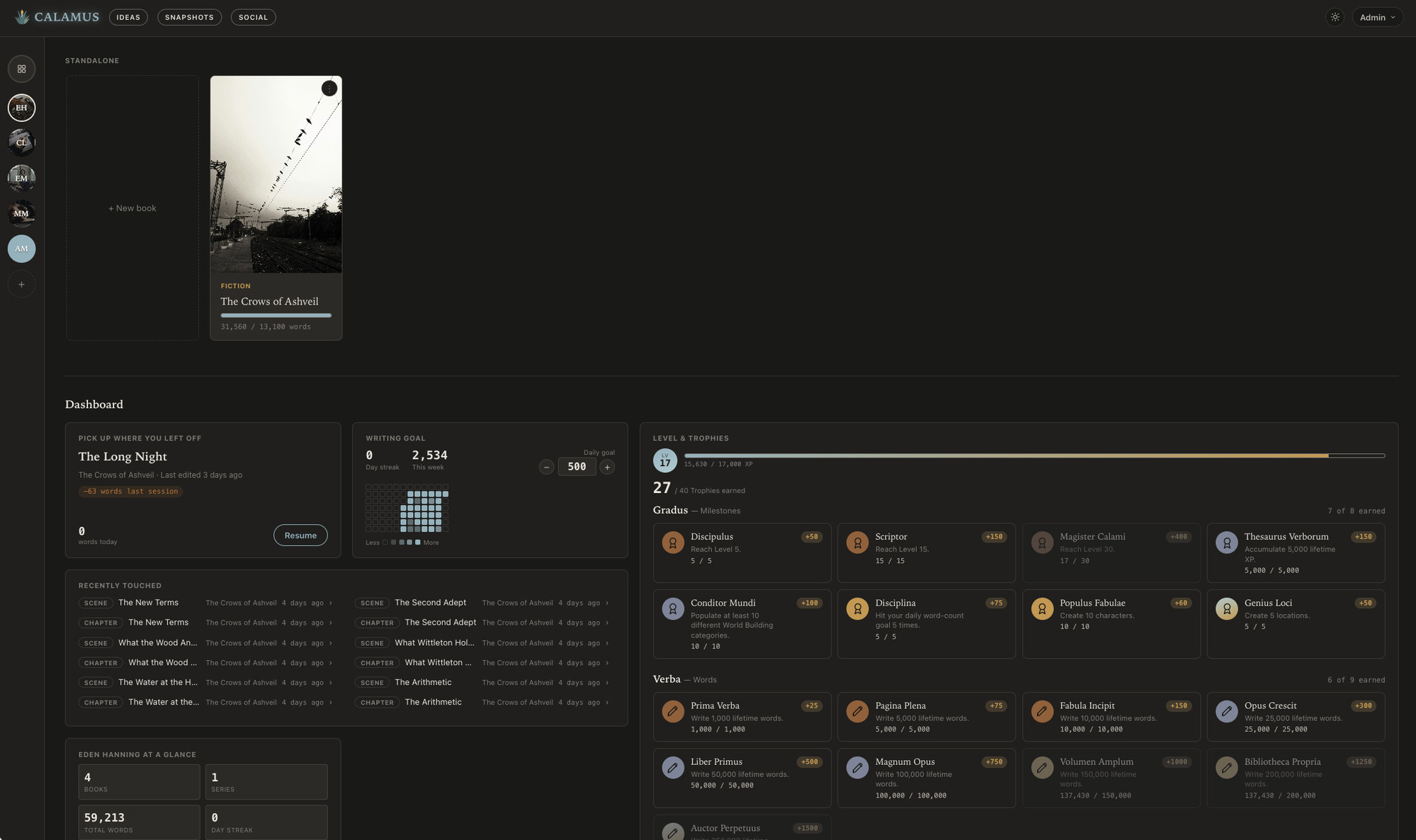
Best for: writers who want to be able to record their ideas, share book quotes to social media, outline, work on their drafting, customize their background and colors, world-building and book production in the same place, who work across a Mac and an iPad or phone, and who would rather make one purchase than assemble a workflow of different software. The pricing page shows the full comparison table.
Vellum
$249 one time. Mac only. Native. Unlimited trial until you export.
Vellum makes book interiors, and it makes them very well. There are 26 typefaces and a small set of book styles, which sounds restrictive and is the entire point: the range of choices is small enough that a bad-looking book is hard to produce, and the results genuinely look like they came from a publisher. Import a DOCX, choose a style, export EPUB, MOBI, PDF or DOCX. It has been the shortest route from finished manuscript to professional print interior for years, and nothing here should be read as a reason to avoid it.
Where it stops: Mac only, with no iPad, phone, browser or Windows version and no sync. No drafting tools whatsoever, so it is always the second app in a two-app workflow. And $249 is the highest one-time price in this list for formatting alone.
Best for: Mac authors who already draft comfortably in Word, Pages or Scrivener and want a beautiful interior with almost nothing to configure.
Dabble
$19 a month. Browser and mobile. Electron wrapper. 14-day trial.
Dabble is the friendliest tool here to start with. It syncs across devices without setup, has a Binder, a plot grid outliner, a story bible for characters and places, Focus and Typewriter modes, and a Time Machine that keeps versions of your work. Nothing about it needs a manual.
Where it stops: import is paste only, which is a real obstacle if you have an existing manuscript to bring in. There is no print PDF at trim size, so Dabble hands off to something else for the book itself. It is a browser and mobile-web experience rather than a native app. Paid monthly the five-year cost is about $1,140, though Dabble's Author plan is also sold as a $699 one-time purchase, which is the fairer number to weigh against a tool you buy once. But even at a lifetime one-time purchase, that's steep.
Best for: writers who want to start today with no configuration, who draft on more than one machine, and who are content to format the finished book elsewhere.
Codex Heim
$15 a month. Browser only. 7-day trial.
Codex Heim is a bit limited but is heavily invested in a cool-looking website but lacks customization. Its structured codex and its lineage canvas, which maps relationships between characters, houses and families as a visual graph, do something none of the others attempt. If you are writing a large invented world with generations of connected people, that canvas earns its place.
Where it stops: export is manuscript only, so it cannot produce your book. Projects are capped at 10. It is browser only, with no offline story and no tablet app. And at $15 a month the five-year cost is around $900 for a tool you will still need to pair with a formatter.
Best for: epic fantasy and multi-generational sagas where the relationships between characters are the hard part to keep straight.
EmberWrite
$65 one time. Mac and Windows, Apple Silicon only (no Intel chips). Electron wrapper. Free trial.
EmberWrite is the least expensive one-time purchase in the list and the most self-contained. Files stay local on one machine, it keeps five automatic backups, and it organizes work into Spaces with an outliner and character and location sheets. There is nothing to configure and no account to hold your work.
Where it stops: no sync, no tablet or phone, no browser, and local files on a single machine mean your backup strategy is entirely your own. Print output is manuscript format rather than a trim-size interior, so you will need something else to make the book. Its import capabilities are not clearly documented.
Best for: writers on one desktop machine who want a low-cost, quiet place to draft and are already handling backups and formatting themselves.
What to Test During a Trial
Most of these offer some way to try before you commit, and a week of real use tells you more than any comparison table.
Import an existing chapter rather than starting from a blank file, and see what survives the trip: italics, scene breaks, em dashes, quotes, etc. Import is where tools fail quietly.
Restructure something. Move a scene from chapter three to chapter seven, split a chapter in two, and merge two scenes. If that is awkward in a trial it will be awkward every revision.
Write offline. Disconnect, work for an hour, reconnect, and confirm nothing was lost or duplicated. Then do the same thing on a second device if you use one.
Break something on purpose. Delete a paragraph you care about, then get it back from whatever version history the app offers. Knowing that works is worth more than any feature.
Get a file out. Export a DOCX and open it elsewhere. If the tool formats, produce an EPUB and a print PDF at your intended trim size and look at them properly, on a device and on paper.
Add a character, a location and a piece of continuity to whatever the app calls its notes, then come back two days later and try to find them. Notes you cannot retrieve are notes you will stop making.
Calamus has a 14-day trial with the full drafting side open, which is enough to run all six of those tests on a real chapter. Whichever tool you are weighing, run them before you commit a manuscript.
For the reasoning underneath this list rather than the list itself, the guide to book writing software sets out the two jobs any of these tools has to do and how each one divides them.
Chad & Melody
Co-founders of Calamus
The Calamus Team